
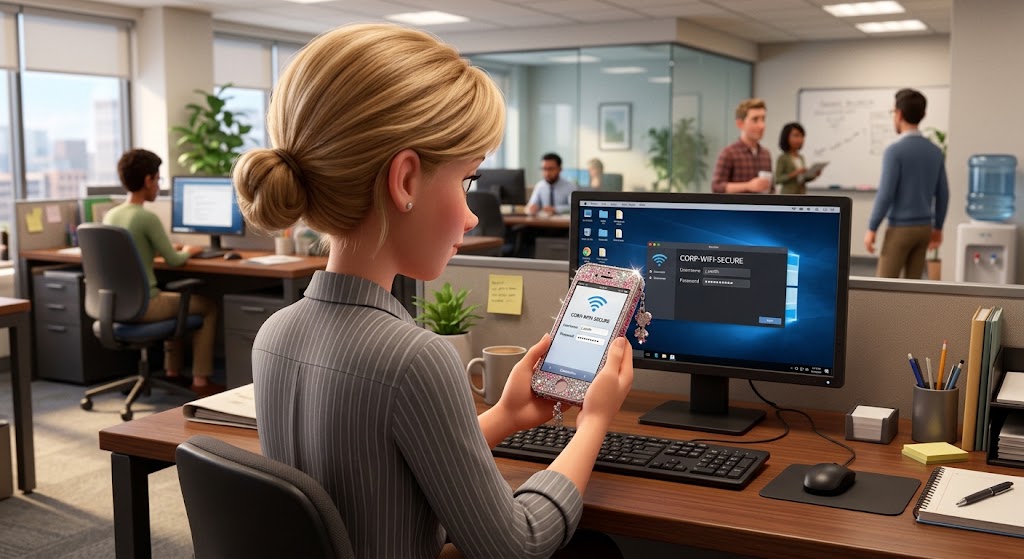
Should Employees Use Personal Devices for Work? A Practical BYOD Security Guide
BYOD often begins before anyone officially calls it BYOD.
An employee adds work email to a personal phone. Someone signs in to Microsoft 365 from a home laptop. A contractor downloads a customer file to finish work after hours. A manager uses a personal tablet during travel because it is more convenient than carrying another device.
The problem is not necessarily that personal devices are being used. The problem is when the business has never decided what is allowed, what is prohibited, and how company data is protected.
At AllSector Technology, we view bring-your-own-device as an access and data-governance decision. Personal devices can support flexibility, but only when the company defines the security requirements, approved applications, permitted data, privacy boundaries, and offboarding process before access is granted.
What Counts as BYOD?
Bring your own device, or BYOD, means an employee, contractor, or other authorized user accesses company systems or information from a personally owned phone, tablet, laptop, or desktop computer.
Common examples include:
- Adding work email and calendar to a personal phone
- Signing in to Microsoft 365 or Google Workspace
- Joining company meetings or chat
- Opening customer or internal documents
- Using a CRM, accounting, project-management, or support application
- Accessing cloud storage
- Downloading work files to a personal laptop
- Using a personal computer for remote work
Some of those activities may keep most information inside a managed cloud application. Others can create local copies, cached data, attachments, screenshots, browser downloads, or backups on systems the business does not control.
The Core BYOD Challenge: Less Control Over the Device
Company-owned computers and phones can be configured, monitored, patched, encrypted, and supported according to one standard. Personal devices are different.
The employee typically decides:
- Which applications are installed
- When operating-system updates are installed
- Whether the device is shared with family members
- Which personal backup services are enabled
- Which browser extensions have access
- Where downloaded files are stored
- Where the device is repaired
- How long the device is kept before replacement
That does not mean BYOD is automatically unsafe. It means access should depend on the business's ability to protect its accounts and data despite not owning the hardware.
Personal Devices Create Several Different Kinds of Risk
Other people may use the device
A home computer or tablet may be shared with a spouse, partner, child, or other family member. If work and personal activity cannot be separated, sensitive business access should not be approved. The UK's National Cyber Security Centre specifically identifies separation from other users as an important BYOD consideration.
Updates may be missing
A personal device may be running an unsupported operating system or missing security patches. The employee may delay updates because of low storage, software compatibility, or simple inconvenience.
Business data may enter personal storage
A file opened from work email may remain in Downloads, a personal documents folder, browser cache, or a personal cloud backup. Once the data moves outside an approved work application, it becomes harder to control and harder to remove.
Personal apps may interact with work data
Applications on a personal device may have access to contacts, local files, the clipboard, browser sessions, or storage. The business may have no inventory of those applications or visibility into their permissions.
Repairs can expose company information
If a personally owned laptop or phone breaks, the employee may take it to a repair shop the business did not select. Work files, email, saved sessions, and cached information may still be present.
Company data may remain after employment ends
Disabling an account blocks future access to many cloud systems, but it does not erase copies already saved to unmanaged folders, applications, backups, or external storage.
Decide What Work Is Allowed on Personal Devices
A useful BYOD policy does not simply say 'personal devices are allowed.' It defines which business activities are suitable for them.
For example, a company might permit:
- Work email in an approved mobile app
- Calendar and meeting access
- Teams or another approved messaging platform
- Browser-based access to selected cloud applications
- Viewing documents inside protected work apps
- Administrator accounts and privileged IT work
- Large customer or employee data exports
- Financial, legal, health, or other sensitive records
- Work that requires substantial local file storage
- Security configuration, backups, or infrastructure management
- Applications that cannot protect data separately from personal applications
The same company might require a company-managed device for:
The goal is to match the device controls to the sensitivity and business impact of the work, rather than treating every login as equivalent.
Minimum Security Requirements for BYOD
Before a personal device accesses company information, it should meet defined security requirements.
Use a supported operating system
Do not allow work access from devices that no longer receive security updates or cannot run the required business applications safely.
Keep the operating system and apps updated
Automatic updates should be enabled where practical, and employees should restart devices when updates require it.
Require a strong screen lock
Use a PIN, password, fingerprint, facial recognition, or another approved authentication method, with automatic locking after inactivity.
Require encryption
Full-device or platform encryption helps protect local data if a device is lost or stolen. Encryption must be enabled before the incident occurs.
Require MFA for business accounts
Multi-factor authentication reduces the chance that a stolen password alone can unlock company email, cloud storage, and other business services.
Block rooted or jailbroken devices
Devices that bypass built-in operating-system security restrictions should not be trusted with company data.
Use approved applications
Define which apps employees may use for work email, messaging, file access, and collaboration. Where possible, block saving or copying business data into unmanaged personal apps.
Use separate user accounts on shared computers
A personally owned computer used for work should have a dedicated user profile. Other household users should have separate accounts and should not know the employee's password.
Create a lost-device reporting process
Employees should know exactly who to contact if a device is lost, stolen, infected, repaired, or replaced. Speed matters because the business may need to revoke sessions, block access, or remove managed data.
MDM and MAM Solve Different BYOD Problems
Two common approaches to BYOD management are mobile device management (MDM) and mobile application management (MAM). They are related, but they do not provide the same level of control.
Mobile Device Management (MDM)
MDM enrolls and manages the device. Depending on the platform and enrollment method, administrators can apply device settings, evaluate compliance, deploy profiles, configure business resources, and perform broader device-management actions.
Mobile Application Management (MAM)
MAM focuses on approved business applications and the corporate data inside them. Microsoft Intune, for example, can apply app protection policies to certain employee-owned devices without fully enrolling the device into MDM. Policies can require an app PIN, encrypt corporate app data, restrict copy-and-paste or Save As behavior, and remove company app data when required.
This distinction is important for employee privacy. On a personal phone, the business may only need to protect Outlook, Teams, OneDrive, Edge, or other supported work apps rather than manage the entire device.
Microsoft documents both full-device wipe and selective corporate-data removal. For personally owned devices, selective removal is often the more appropriate design because it removes managed company app data without intentionally erasing unrelated personal photos, messages, and files.
Selective removal has limits. If a user has already copied a file into an unmanaged app, personal backup service, unsupported location, or another system outside the management boundary, the MAM platform may not be able to remove that copy.
Use Conditional Access to Decide Which Devices and Apps Can Sign In
BYOD security should not depend on written policy alone. Identity controls can enforce access rules at sign-in.
In Microsoft 365 environments, Microsoft Entra Conditional Access can be combined with Intune app protection or device-compliance rules to require approved apps or protected access paths for selected users and services.
That allows an organization to create different access levels. For example, a personal phone might be allowed to use a protected Outlook app while an unmanaged browser is blocked from downloading sensitive files. Higher-risk administrative roles can be restricted to company-managed devices.
Be Clear About Employee Privacy Before Enrollment
BYOD security controls affect a device the employee personally owns, so the privacy boundary should be explained before access is granted.
Your policy should tell employees, in plain language:
- What device information IT can see
- Whether the business can see installed apps or only managed work apps
- What settings the business can enforce
- Whether the business can lock the device
- Whether company data can be removed remotely
- Whether a full factory reset is possible under the enrollment method
- What happens when employment ends
- What the employee must do before selling, repairing, or replacing the device
Privacy, employment, and data-protection requirements vary by jurisdiction and industry. Have the final BYOD policy reviewed by the appropriate HR, legal, and compliance professionals for the locations and data your organization handles.
What a BYOD Policy Should Cover
A useful policy should answer operational questions before they become incidents:
- Who may use personal devices for work?
- Which device types and operating systems are permitted?
- What business activities are allowed?
- Which applications must be used?
- May company files be downloaded locally?
- May the device be shared with other people?
- Which security settings are mandatory?
- What can IT see and control?
- Can company information be removed remotely?
- What happens if the device is lost or stolen?
- What must happen before repair, sale, trade-in, or replacement?
- What happens when the employee or contractor leaves?
- Who is responsible for mobile data, repair, support, and replacement costs?
What to Do When a Personal Device Is Lost or Stolen
The employee should report a missing device immediately. The business response may include:
- Revoking active sign-in sessions
- Blocking or suspending device access
- Removing company data from managed apps
- Removing the device from approved-device lists
- Reviewing account activity for suspicious sign-ins
- Resetting credentials if compromise is suspected
- Recording which business files may have been stored locally
Remote removal is not a substitute for encryption and strong account controls. A device that remains offline may not receive the management command immediately—or at all.
What to Do When an Employee Leaves
Offboarding should remove both account access and managed business data.
At the agreed departure time:
- Disable the employee's business accounts
- Revoke active sessions and application tokens
- Remove company data from managed apps or work profiles
- Remove business certificates, email profiles, and VPN settings where supported
- Remove the device from approved-device and Conditional Access records
- Confirm whether company files were downloaded outside managed applications
- Document the return, deletion, or transfer of those files
If the business cannot reliably remove or account for downloaded company data, that is a strong signal that the work should have been performed on a company-managed device.
When Personal Devices Should Not Be Allowed
BYOD is not the right answer for every role. Provide a company-owned, managed device when:
- The employee regularly handles sensitive or regulated information
- The role requires administrator or privileged access
- Large amounts of business data must be stored locally
- The device is shared with other people
- The operating system is unsupported
- Encryption cannot be enabled
- The organization cannot separate and selectively remove business data
- The employee does not agree to required security controls
- The device is rooted or jailbroken
- The role depends on software or monitoring that the organization cannot support on personal hardware
Company-owned devices are often simpler to support and govern because the business controls the hardware, software, security settings, monitoring, and replacement lifecycle.
A 7-Step BYOD Readiness Checklist
1. Inventory current personal-device use. Find out who already accesses company email, files, cloud apps, and collaboration tools from employee-owned phones and computers.
2. Classify the work and data. Separate low-risk activities such as calendar access from higher-risk work such as data exports, administrator tasks, regulated information, or local file storage.
3. Define minimum device standards. Require supported operating systems, current patches, screen locks, encryption, MFA, and restrictions on rooted or jailbroken devices.
4. Choose the management model. Decide where full MDM enrollment is appropriate and where app-level protection, such as Intune MAM, is sufficient.
5. Enforce access technically. Use Conditional Access, approved-app requirements, compliance rules, and data-loss controls rather than relying only on employee promises.
6. Document privacy and offboarding. Explain what IT can see and remove, and define the steps for lost devices, repairs, replacements, and employee departures.
7. Review the program regularly. Revisit approved devices, operating-system support, app protection, access policies, and user roles as technology and business risk change.
BYOD Should Be a Deliberate Business Decision
Personal devices can improve flexibility and may reduce some hardware costs, but those benefits are only useful when the organization can protect its accounts and data.
A secure BYOD program answers three questions clearly: what can this person access, what security controls protect that access, and how will the business remove its data when access should end?
For Long Island and New York businesses, nonprofits, and professional organizations, this is often a good area to review alongside Microsoft 365 security, Conditional Access, device management, and employee offboarding. If employees are already using personal devices, the fastest first step is to identify what they can access today.
|
Already allowing personal phones or laptops for work? AllSector Technology can review your Microsoft 365 access, employee-owned devices, Intune options, Conditional Access policies, MFA, data-protection controls, and offboarding process to help you build a practical BYOD policy without exposing more business data than necessary. Contact AllSector for a BYOD and device-security review. |
Frequently Asked Questions
Can employees use personal devices for work?
Yes, when the organization defines approved use, security requirements, access controls, privacy boundaries, and a reliable way to remove company data. Higher-risk work may still require a company-owned device.
Is MFA enough to secure BYOD?
No. MFA protects accounts from many credential-based attacks, but it does not encrypt local files, patch the operating system, prevent copying into personal apps, or remove downloaded data. BYOD also needs device and application controls.
Can Microsoft Intune protect work apps without fully managing a personal phone?
Yes, for supported platforms and applications. Intune app protection policies can protect corporate app data without full MDM enrollment, although capabilities and limitations vary by platform and app.
Can the business wipe an employee's personal phone?
That depends on the enrollment method. Full MDM enrollment may provide broader wipe capabilities, while app protection can support selective removal of managed corporate data. The exact behavior should be documented before enrollment.
Can employees use a web browser without enrolling their device?
Technically, yes, if the organization's access policies allow it. But browser caches, downloads, saved passwords, screenshots, and active sessions can still create unmanaged data. Sensitive work may require a managed device or protected application.
Is BYOD cheaper than company-owned devices?
Sometimes, but hardware savings can be offset by management, support, security, compliance, reimbursement, and administration costs. The total cost depends on the work and controls required.
Should administrators use personal devices?
Privileged administration is better performed from a company-managed device that the organization can harden, monitor, and control consistently.
Sources & Further Reading
- UK National Cyber Security Centre — Bring your own device (BYOD): https://www.ncsc.gov.uk/collection/device-security-guidance/bring-your-own-device
- Australian Cyber Security Centre — Securing customer personal data: https://www.cyber.gov.au/business-government/small-business-cyber-security/securing-customer-personal-data
- Australian Cyber Security Centre — Secure mobility / BYOD resources: https://www.cyber.gov.au/business-government/protecting-devices-systems/remote-working-secure-mobility/secure-mobility
- Microsoft Learn — App protection policies overview: https://learn.microsoft.com/en-us/intune/app-management/protection/overview
- Microsoft Learn — How to wipe only corporate data from Intune-managed apps: https://learn.microsoft.com/en-us/intune/intune-service/apps/apps-selective-wipe
- Microsoft Learn — Intune app protection data protection framework: https://learn.microsoft.com/en-us/intune/app-management/protection/data-protection-framework